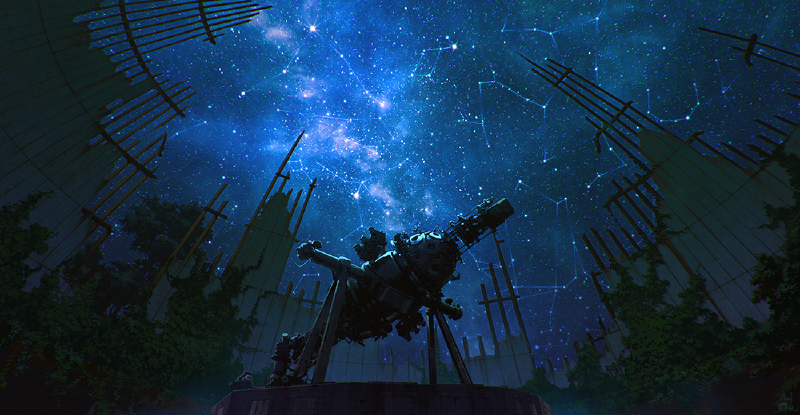
Featured image of post 简单的做一个网页入口

简单的做一个网页入口

以星空主题为例

这篇文章为原创文章 | 封面:mocha@新刊委託中

上次更新于 2025-12-08。

前言

纯前端无第三方依赖实现网站入口页面的实现,可以用来装饰你的网站,毕竟谁不会对一个好看的网站入口页面心动呢! 代码已拆分成三个部分,使用时记得导入使用!

HTML部分

保存为后缀为“.html”文件即可CTRL + S

 1
 2
 3
 4
 5
 6
 7
 8
 9
10
11
12
13
14
15
16
17
18
19
20
21
22
23
24
25
26
27
28
29
30
31
32
33
34
35
36
37
38
39
40
41
42
43
44
45
46
47
48
49
50
51
52
53
54
55
56
57
58
59
60
<!DOCTYPE html>
<html lang="zh-CN">
<head>
    <meta charset="UTF-8">
    <meta name="viewport" content="width=device-width, initial-scale=1.0">
    <title>星空漫游 | 欢迎来到我的博客宇宙</title>
    <link rel="stylesheet" href="style.css">
    <link rel="icon" href="data:image/svg+xml,<svg xmlns=%22http://www.w3.org/2000/svg%22 viewBox=%220 0 100 100%22><text y=%22.9em%22 font-size=%2290%22>✨</text></svg>">
</head>
<body>
    <!-- 星空画布 -->
    <div id="starfield"></div>

    <!-- 欢迎内容 -->
    <div class="content">
        <div class="header">
            <h1 class="title">星空漫游</h1>
            <p class="subtitle">每一颗划过的流星,都是思想的轨迹<br>欢迎来到我的数字宇宙,这里记录着探索、思考与创造的点滴</p>
        </div>

        <div class="actions">
            <a href="#" class="enter-btn" id="enterBlog">进入博客</a>
            <div class="hint">点击按钮或按空格键探索</div>
        </div>

        <div class="stats">
            <div class="stat-item">
                <span class="stat-number" id="starCount">0</span>
                <span class="stat-label">颗星星</span>
            </div>
            <div class="stat-item">
                <span class="stat-number" id="meteorCount">0</span>
                <span class="stat-label">颗流星</span>
            </div>
        </div>
    </div>

    <!-- 加载提示(初始化完成后消失) -->
    <div class="loading" id="loading">
        <div class="loading-spinner"></div>
        <div class="loading-text">初始化星空...</div>
    </div>

    <!-- 音频元素(背景音乐) -->
    <audio id="bgm" loop preload="metadata">
        <!-- 这里可以添加背景音乐文件 -->
        <!-- <source src="bgm.mp3" type="audio/mpeg"> -->
    </audio>

    <!-- 音量控制 -->
    <div class="volume-control" id="volumeControl">
        <button class="volume-btn" id="volumeToggle">
            <span class="volume-icon">🔈</span>
        </button>
        <input type="range" class="volume-slider" id="volumeSlider" min="0" max="1" step="0.1" value="0.5">
    </div>

    <script src="script.js"></script>
</body>
</html>

CSS部分

保存为后缀为“.css”文件即可CTRL + S

  1
  2
  3
  4
  5
  6
  7
  8
  9
 10
 11
 12
 13
 14
 15
 16
 17
 18
 19
 20
 21
 22
 23
 24
 25
 26
 27
 28
 29
 30
 31
 32
 33
 34
 35
 36
 37
 38
 39
 40
 41
 42
 43
 44
 45
 46
 47
 48
 49
 50
 51
 52
 53
 54
 55
 56
 57
 58
 59
 60
 61
 62
 63
 64
 65
 66
 67
 68
 69
 70
 71
 72
 73
 74
 75
 76
 77
 78
 79
 80
 81
 82
 83
 84
 85
 86
 87
 88
 89
 90
 91
 92
 93
 94
 95
 96
 97
 98
 99
100
101
102
103
104
105
106
107
108
109
110
111
112
113
114
115
116
117
118
119
120
121
122
123
124
125
126
127
128
129
130
131
132
133
134
135
136
137
138
139
140
141
142
143
144
145
146
147
148
149
150
151
152
153
154
155
156
157
158
159
160
161
162
163
164
165
166
167
168
169
170
171
172
173
174
175
176
177
178
179
180
181
182
183
184
185
186
187
188
189
190
191
192
193
194
195
196
197
198
199
200
201
202
203
204
205
206
207
208
209
210
211
212
213
214
215
216
217
218
219
220
221
222
223
224
225
226
227
228
229
230
231
232
233
234
235
236
237
238
239
240
241
242
243
244
245
246
247
248
249
250
251
252
253
254
255
256
257
258
259
260
261
262
263
264
265
266
267
268
269
270
271
272
273
274
275
276
277
278
279
280
281
282
283
284
285
286
287
288
289
290
291
292
293
294
295
296
297
298
299
300
301
302
303
304
305
306
307
308
309
310
311
312
313
314
315
316
317
318
319
320
321
322
323
324
325
326
327
328
329
330
331
332
333
334
335
336
337
338
339
340
341
342
343
344
345
346
347
348
349
350
351
352
353
354
355
356
357
358
359
360
361
362
363
364
365
366
367
368
369
370
371
372
373
374
375
376
377
378
379
380
381
382
383
384
385
386
387
388
389
390
391
392
393
394
395
* {
    margin: 0;
    padding: 0;
    box-sizing: border-box;
}

body {
    font-family: 'Segoe UI', 'Microsoft YaHei', sans-serif;
    overflow: hidden;
    height: 100vh;
    background: 
        radial-gradient(ellipse at 20% 20%, rgba(20, 30, 80, 0.8) 0%, transparent 40%),
        radial-gradient(ellipse at 80% 80%, rgba(40, 20, 70, 0.6) 0%, transparent 40%),
        radial-gradient(ellipse at center, #0a0a2a 0%, #000033 70%, #000 100%);
    color: #fff;
    touch-action: manipulation;
}

/* 星空容器 */
#starfield {
    position: fixed;
    top: 0;
    left: 0;
    width: 100%;
    height: 100%;
    z-index: -1;
    pointer-events: none;
}

/* 星星基础样式 */
.star {
    position: absolute;
    background-color: #fff;
    border-radius: 50%;
    pointer-events: none;
    transition: transform 0.2s ease;
}

/* 流星样式 */
.shooting-star {
    position: absolute;
    height: 1px;
    background: linear-gradient(90deg, 
        rgba(255, 255, 255, 0) 0%, 
        rgba(255, 255, 255, 1) 30%, 
        rgba(255, 255, 255, 0.7) 70%, 
        rgba(255, 255, 255, 0) 100%);
    border-radius: 50%;
    filter: drop-shadow(0 0 6px rgba(255, 255, 255, 0.9));
    pointer-events: none;
    transform-origin: left center;
    z-index: 1;
}

/* 内容区域 */
.content {
    position: relative;
    z-index: 10;
    display: flex;
    flex-direction: column;
    justify-content: space-between;
    align-items: center;
    height: 100vh;
    text-align: center;
    padding: 20px;
    background: rgba(0, 0, 20, 0.1);
    backdrop-filter: blur(1px);
}

.header {
    margin-top: 10vh;
}

.title {
    font-size: 3.5rem;
    font-weight: 300;
    margin-bottom: 0.5rem;
    letter-spacing: 3px;
    text-shadow: 0 0 15px rgba(100, 150, 255, 0.7);
    opacity: 0;
    animation: fadeInUp 1.5s ease 0.5s forwards;
}

.subtitle {
    font-size: 1.2rem;
    font-weight: 300;
    margin-bottom: 3rem;
    color: #a0b0ff;
    max-width: 600px;
    line-height: 1.6;
    opacity: 0;
    animation: fadeInUp 1.5s ease 1s forwards;
}

.actions {
    margin-bottom: 20vh;
    display: flex;
    flex-direction: column;
    align-items: center;
}

.enter-btn {
    display: inline-block;
    padding: 15px 40px;
    font-size: 1.1rem;
    color: #fff;
    background: rgba(20, 40, 100, 0.3);
    border: 1px solid rgba(100, 150, 255, 0.4);
    border-radius: 50px;
    text-decoration: none;
    letter-spacing: 1.5px;
    transition: all 0.4s ease;
    opacity: 0;
    animation: fadeInUp 1.5s ease 1.5s forwards;
    cursor: pointer;
    margin-bottom: 20px;
    position: relative;
    overflow: hidden;
}

.enter-btn:hover {
    background: rgba(40, 80, 180, 0.5);
    border-color: rgba(150, 200, 255, 0.8);
    transform: translateY(-5px);
    box-shadow: 0 10px 25px rgba(0, 20, 80, 0.4);
}

.enter-btn:active {
    transform: translateY(-2px);
}

.enter-btn::after {
    content: '';
    position: absolute;
    top: 50%;
    left: 50%;
    width: 5px;
    height: 5px;
    background: rgba(255, 255, 255, 0.5);
    opacity: 0;
    border-radius: 100%;
    transform: scale(1, 1) translate(-50%, -50%);
    transform-origin: 50% 50%;
}

.enter-btn:focus:not(:active)::after {
    animation: ripple 1s ease-out;
}

.hint {
    font-size: 0.9rem;
    color: rgba(160, 176, 255, 0.7);
    opacity: 0;
    animation: fadeInUp 1.5s ease 2s forwards;
}

.stats {
    display: flex;
    gap: 30px;
    margin-bottom: 20px;
    opacity: 0;
    animation: fadeInUp 1.5s ease 2.5s forwards;
}

.stat-item {
    display: flex;
    flex-direction: column;
    align-items: center;
}

.stat-number {
    font-size: 1.8rem;
    font-weight: 300;
    color: #a0b0ff;
    text-shadow: 0 0 10px rgba(100, 150, 255, 0.5);
}

.stat-label {
    font-size: 0.8rem;
    color: rgba(160, 176, 255, 0.7);
    margin-top: 5px;
}

/* 动画定义 */
@keyframes fadeInUp {
    from {
        opacity: 0;
        transform: translateY(30px);
    }
    to {
        opacity: 1;
        transform: translateY(0);
    }
}

@keyframes twinkle {
    0%, 100% { opacity: 0.3; }
    50% { opacity: 1; }
}

@keyframes ripple {
    0% {
        transform: scale(0, 0);
        opacity: 0.5;
    }
    100% {
        transform: scale(40, 40);
        opacity: 0;
    }
}

/* 加载提示 */
.loading {
    position: fixed;
    top: 0;
    left: 0;
    width: 100%;
    height: 100%;
    background: rgba(0, 0, 20, 0.9);
    display: flex;
    flex-direction: column;
    justify-content: center;
    align-items: center;
    z-index: 100;
    transition: opacity 0.5s ease;
}

.loading-spinner {
    width: 50px;
    height: 50px;
    border: 3px solid rgba(100, 150, 255, 0.3);
    border-radius: 50%;
    border-top-color: #a0b0ff;
    animation: spin 1s ease-in-out infinite;
    margin-bottom: 20px;
}

.loading-text {
    font-size: 1.2rem;
    color: #a0b0ff;
}

@keyframes spin {
    to { transform: rotate(360deg); }
}

/* 音量控制 */
.volume-control {
    position: fixed;
    top: 20px;
    right: 20px;
    display: flex;
    align-items: center;
    gap: 10px;
    z-index: 20;
    opacity: 0;
    animation: fadeInUp 1.5s ease 3s forwards;
}

.volume-btn {
    background: rgba(20, 40, 100, 0.3);
    border: 1px solid rgba(100, 150, 255, 0.4);
    border-radius: 50%;
    width: 40px;
    height: 40px;
    display: flex;
    align-items: center;
    justify-content: center;
    cursor: pointer;
    color: #a0b0ff;
    font-size: 1.2rem;
    transition: all 0.3s ease;
}

.volume-btn:hover {
    background: rgba(40, 80, 180, 0.5);
    border-color: rgba(150, 200, 255, 0.8);
}

.volume-slider {
    width: 0;
    opacity: 0;
    transition: all 0.3s ease;
    -webkit-appearance: none;
    height: 6px;
    background: rgba(100, 150, 255, 0.3);
    border-radius: 3px;
    outline: none;
}

.volume-slider::-webkit-slider-thumb {
    -webkit-appearance: none;
    width: 18px;
    height: 18px;
    border-radius: 50%;
    background: #a0b0ff;
    cursor: pointer;
}

.volume-slider::-moz-range-thumb {
    width: 18px;
    height: 18px;
    border-radius: 50%;
    background: #a0b0ff;
    cursor: pointer;
    border: none;
}

.volume-control:hover .volume-slider {
    width: 100px;
    opacity: 1;
}

/* 响应式设计 */
@media (max-width: 768px) {
    .title {
        font-size: 2.5rem;
        letter-spacing: 2px;
    }

    .subtitle {
        font-size: 1rem;
        padding: 0 20px;
        margin-bottom: 2rem;
    }

    .enter-btn {
        padding: 12px 30px;
        font-size: 1rem;
    }

    .stat-number {
        font-size: 1.5rem;
    }

    .stats {
        gap: 20px;
    }

    /* 移动端减少星星数量 */
    .star {
        transform: scale(0.7);
    }

    .volume-control {
        top: 10px;
        right: 10px;
    }
}

@media (max-width: 480px) {
    .title {
        font-size: 2rem;
    }

    .subtitle {
        font-size: 0.9rem;
    }

    .enter-btn {
        padding: 10px 25px;
        font-size: 0.9rem;
    }

    .hint {
        font-size: 0.8rem;
    }

    .stat-number {
        font-size: 1.3rem;
    }

    .stat-label {
        font-size: 0.7rem;
    }

    /* 移动端流星更短 */
    .shooting-star {
        height: 0.7px;
    }

    .volume-control:hover .volume-slider {
        width: 70px;
    }
}

@media (max-height: 600px) {
    .header {
        margin-top: 5vh;
    }

    .actions {
        margin-bottom: 10vh;
    }
}

Javascript部分

保存为后缀为“.js”文件即可CTRL + S

  1
  2
  3
  4
  5
  6
  7
  8
  9
 10
 11
 12
 13
 14
 15
 16
 17
 18
 19
 20
 21
 22
 23
 24
 25
 26
 27
 28
 29
 30
 31
 32
 33
 34
 35
 36
 37
 38
 39
 40
 41
 42
 43
 44
 45
 46
 47
 48
 49
 50
 51
 52
 53
 54
 55
 56
 57
 58
 59
 60
 61
 62
 63
 64
 65
 66
 67
 68
 69
 70
 71
 72
 73
 74
 75
 76
 77
 78
 79
 80
 81
 82
 83
 84
 85
 86
 87
 88
 89
 90
 91
 92
 93
 94
 95
 96
 97
 98
 99
100
101
102
103
104
105
106
107
108
109
110
111
112
113
114
115
116
117
118
119
120
121
122
123
124
125
126
127
128
129
130
131
132
133
134
135
136
137
138
139
140
141
142
143
144
145
146
147
148
149
150
151
152
153
154
155
156
157
158
159
160
161
162
163
164
165
166
167
168
169
170
171
172
173
174
175
176
177
178
179
180
181
182
183
184
185
186
187
188
189
190
191
192
193
194
195
196
197
198
199
200
201
202
203
204
205
206
207
208
209
210
211
212
213
214
215
216
217
218
219
220
221
222
223
224
225
226
227
228
229
230
231
232
233
234
235
236
237
238
239
240
241
242
243
244
245
246
247
248
249
250
251
252
253
254
255
256
257
258
259
260
261
262
263
264
265
266
267
268
269
270
271
272
273
274
275
document.addEventListener('DOMContentLoaded', function() {
    const starfield = document.getElementById('starfield');
    const loading = document.getElementById('loading');
    const enterBtn = document.getElementById('enterBlog');
    const starCountElement = document.getElementById('starCount');
    const meteorCountElement = document.getElementById('meteorCount');
    const volumeToggle = document.getElementById('volumeToggle');
    const volumeSlider = document.getElementById('volumeSlider');
    const volumeIcon = document.querySelector('.volume-icon');
    const bgm = document.getElementById('bgm');

    // 星星和流星的配置
    const config = {
        stars: {
            count: window.innerWidth < 768 ? 150 : 300, // 移动端减少星星
            sizes: [1, 1.5, 2],
            colors: ['#fff', '#e6f7ff', '#cce7ff']
        },
        shootingStars: {
            maxCount: 3, // 同时存在的最大流星数
            interval: {
                min: 1500, // 最小生成间隔(毫秒)
                max: 4000  // 最大生成间隔
            }
        }
    };

    // 统计信息
    let stats = {
        starsCreated: 0,
        meteorsCreated: 0
    };

    // 生成随机数
    function random(min, max) {
        return Math.random() * (max - min) + min;
    }

    // 创建星星
    function createStars() {
        for (let i = 0; i < config.stars.count; i++) {
            const star = document.createElement('div');
            star.className = 'star';

            // 随机属性
            const size = config.stars.sizes[Math.floor(random(0, config.stars.sizes.length))];
            const color = config.stars.colors[Math.floor(random(0, config.stars.colors.length))];

            // 设置样式
            star.style.width = `${size}px`;
            star.style.height = `${size}px`;
            star.style.backgroundColor = color;
            star.style.left = `${random(0, 100)}vw`;
            star.style.top = `${random(0, 100)}vh`;
            star.style.opacity = random(0.3, 0.9);

            // 添加闪烁动画
            const duration = random(2, 5);
            const delay = random(0, 5);
            star.style.animation = `twinkle ${duration}s infinite ${delay}s`;

            starfield.appendChild(star);
            stats.starsCreated++;
        }

        // 更新星星计数
        updateStarCount();
    }

    // 创建一颗流星
    function createShootingStar() {
        const shootingStar = document.createElement('div');
        shootingStar.className = 'shooting-star';

        // 随机起始位置(从屏幕上方或侧面开始)
        const fromTop = random(5, 25); // 距顶部百分比
        const fromLeft = random(-10, 110); // 可能从屏幕外开始

        // 随机长度和角度
        const length = random(80, 150);
        const angle = random(-30, 30); // 角度范围

        shootingStar.style.width = `${length}px`;
        shootingStar.style.top = `${fromTop}vh`;
        shootingStar.style.left = `${fromLeft}vw`;
        shootingStar.style.transform = `rotate(${angle}deg)`;

        // 随机速度
        const duration = random(0.8, 1.5);

        // 添加到星空
        starfield.appendChild(shootingStar);
        stats.meteorsCreated++;
        updateMeteorCount();

        // 触发流星动画
        setTimeout(() => {
            shootingStar.style.transition = `all ${duration}s linear`;
            shootingStar.style.transform = `translateX(${window.innerWidth}px) rotate(${angle}deg)`;
            shootingStar.style.opacity = '0';
        }, 10);

        // 动画完成后移除元素
        setTimeout(() => {
            if (shootingStar.parentNode) {
                shootingStar.parentNode.removeChild(shootingStar);
            }
        }, duration * 1000 + 100);
    }

    // 定时生成流星
    function startShootingStars() {
        function generateNext() {
            if (document.querySelectorAll('.shooting-star').length < config.shootingStars.maxCount) {
                createShootingStar();
            }

            // 随机安排下一个流星
            const nextDelay = random(
                config.shootingStars.interval.min, 
                config.shootingStars.interval.max
            );
            setTimeout(generateNext, nextDelay);
        }

        // 启动流星生成
        generateNext();
    }

    // 视差滚动效果
    function setupParallax() {
        document.addEventListener('mousemove', (e) => {
            const stars = document.querySelectorAll('.star');
            const mouseX = e.clientX / window.innerWidth;
            const mouseY = e.clientY / window.innerHeight;

            stars.forEach((star, index) => {
                // 不同层级的星星移动速度不同
                const speed = 0.5 + (index % 3) * 0.5;
                const moveX = (mouseX - 0.5) * speed;
                const moveY = (mouseY - 0.5) * speed;

                star.style.transform = `translate(${moveX}px, ${moveY}px) scale(${window.innerWidth < 768 ? 0.7 : 1})`;
            });
        });

        // 移动设备使用陀螺仪效果
        if (window.DeviceOrientationEvent) {
            window.addEventListener('deviceorientation', (e) => {
                const stars = document.querySelectorAll('.star');
                const tiltX = (e.gamma || 0) / 45; // -1 到 1
                const tiltY = (e.beta || 0) / 90;  // -1 到 1

                stars.forEach((star, index) => {
                    const speed = 0.5 + (index % 3) * 0.5;
                    const moveX = tiltX * speed * 20;
                    const moveY = tiltY * speed * 20;

                    star.style.transform = `translate(${moveX}px, ${moveY}px) scale(${window.innerWidth < 768 ? 0.7 : 1})`;
                });
            });
        }
    }

    // 更新星星计数显示
    function updateStarCount() {
        let count = 0;
        const increment = () => {
            if (count < stats.starsCreated) {
                count++;
                starCountElement.textContent = count;
                setTimeout(increment, 10);
            }
        };
        increment();
    }

    // 更新流星计数显示
    function updateMeteorCount() {
        meteorCountElement.textContent = stats.meteorsCreated;
    }

    // 初始化
    function init() {
        createStars();
        startShootingStars();
        setupParallax();

        // 为进入按钮添加实际链接
        // 这里需要替换为你博客的实际地址
        enterBtn.href = '/blog'; // 示例地址,请修改

        // 添加按钮点击效果
        enterBtn.addEventListener('click', function(e) {
            // 添加点击效果
            this.classList.add('clicked');

            // 在实际应用中,这里会进行页面跳转
            // e.preventDefault(); // 如果不需要跳转,取消注释这行
        });

        // 添加键盘支持
        document.addEventListener('keydown', function(e) {
            if (e.code === 'Space' || e.code === 'Enter') {
                enterBtn.click();
                e.preventDefault();
            }
        });

        // 音量控制
        volumeSlider.value = bgm.volume;

        volumeToggle.addEventListener('click', function() {
            bgm.muted = !bgm.muted;
            updateVolumeIcon();
        });

        volumeSlider.addEventListener('input', function() {
            bgm.volume = this.value;
            bgm.muted = this.value == 0;
            updateVolumeIcon();
        });

        function updateVolumeIcon() {
            if (bgm.muted || bgm.volume == 0) {
                volumeIcon.textContent = '🔇';
            } else if (bgm.volume < 0.5) {
                volumeIcon.textContent = '🔈';
            } else {
                volumeIcon.textContent = '🔊';
            }
        }

        // 隐藏加载提示
        setTimeout(() => {
            loading.style.opacity = '0';
            setTimeout(() => {
                loading.style.display = 'none';

                // 初始化后可以开始播放背景音乐
                // bgm.play().catch(e => console.log("自动播放被阻止:", e));
            }, 500);
        }, 1500);
    }

    // 窗口大小变化时重新调整
    let resizeTimeout;
    window.addEventListener('resize', () => {
        clearTimeout(resizeTimeout);
        resizeTimeout = setTimeout(() => {
            // 移除所有星星和流星
            while (starfield.firstChild) {
                starfield.removeChild(starfield.firstChild);
            }

            // 重置计数
            stats.starsCreated = 0;
            stats.meteorsCreated = 0;

            // 更新配置
            config.stars.count = window.innerWidth < 768 ? 150 : 300;

            // 重新初始化
            init();
        }, 500);
    });

    // 触摸设备支持
    document.addEventListener('touchstart', function() {
        // 触摸设备优化
    }, {passive: true});

    // 开始初始化
    init();
});

结尾

✨ 核心功能说明

  • 动态星空生成
  • 根据屏幕尺寸自动调整星星数量(桌面端约300颗,移动端约150颗)
  • 星星具有随机的大小、亮度、位置和闪烁频率 智能流星系统
  • 流星随机从不同位置和角度划过
  • 控制同时存在的流星数量(最多3颗)
  • 流星消失后自动清理DOM元素,优化性能
  • 交互体验
  • 鼠标视差效果:移动鼠标时,星星会有轻微的跟随效果,增强沉浸感
  • 响应式设计:针对不同屏幕优化了字体大小、星星密度和流星长度
  • 平滑动画:欢迎文字和按钮有渐入动画,按钮有悬停效果
  • 视觉设计
  • 使用了多层径向渐变背景,营造深邃的太空感
  • 流星带有光晕和渐变透明效果,更加真实
  • 整体色调以深蓝和紫色为主,符合星空主题

🛠️ 如何个性化定制

  • 修改网站链接:在JS代码末尾附近找到 enterBtn.href = ‘/blog’;,将其中的’/blog’替换为你博客的实际地址。
  • 调整视觉效果
  • 修改config.stars.count数值可调整星星数量
  • 修改config.shootingStars.maxCount可调整同时出现的流星数
  • 在CSS的background属性中调整颜色渐变值可改变夜空色调
  • 适配你的博客风格
  • 在.title和.subtitle类中修改字体、颜色和文字内容

  • 调整.enter-btn类的样式以匹配你的博客按钮风格

版权所有,侵权必究,未经许可严禁转载
萌ICP备20250486号 | 十六夜岚的个人主页
使用 Hugo 构建
主题 StackJimmy 设计 | 由Arashi定制 | 版权声明
载入天数...载入时分秒... | 发表了11篇文章 · 总计12.73k字
Touhou Fan Website Version Hugo Version